Dream Book's SMS Terms.

How a client opts in to texts.

Pictures of the live booking page, taken October 28, 2026.

Dream Book texts a salon’s clients about their appointments: a confirmation, reminders, and any changes. This page shows, step by step, where a client agrees to that. The page itself is public at dreambetterstudio.com/book/ember-oak, the example salon; a real salon’s booking page is the same with its own name. The words a client agrees to are in the texting terms, and what we keep is in the privacy policy.

  1. 1. The booking page opens on the salon’s services. Nothing is picked.
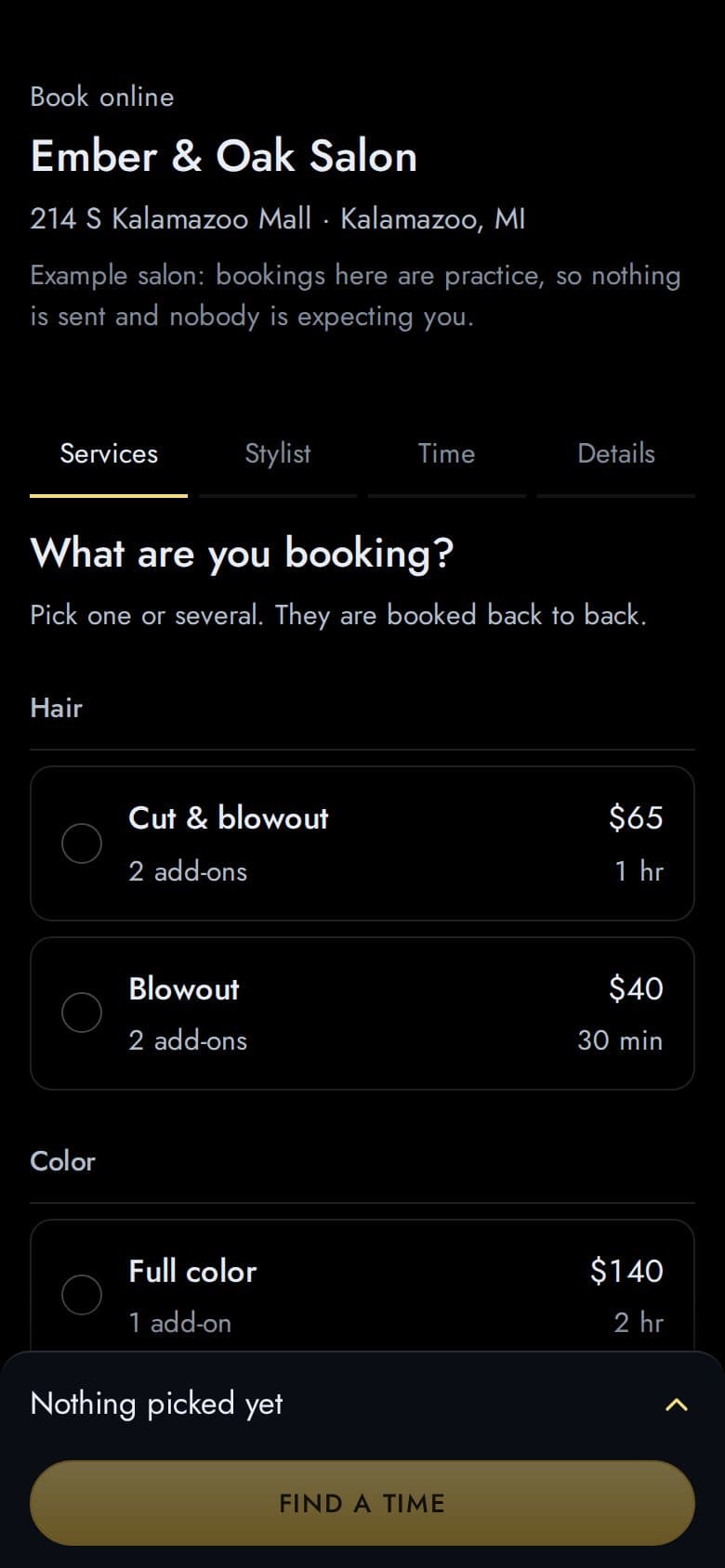
    The booking page on a phone: Book online, Ember & Oak Salon, the practice-salon note, the four steps Services, Stylist, Time and Details, the question What are you booking?, and the services Cut & blowout, Blowout and Full color as rows with empty circles. The sheet at the foot reads Nothing picked yet with a Find a time button.
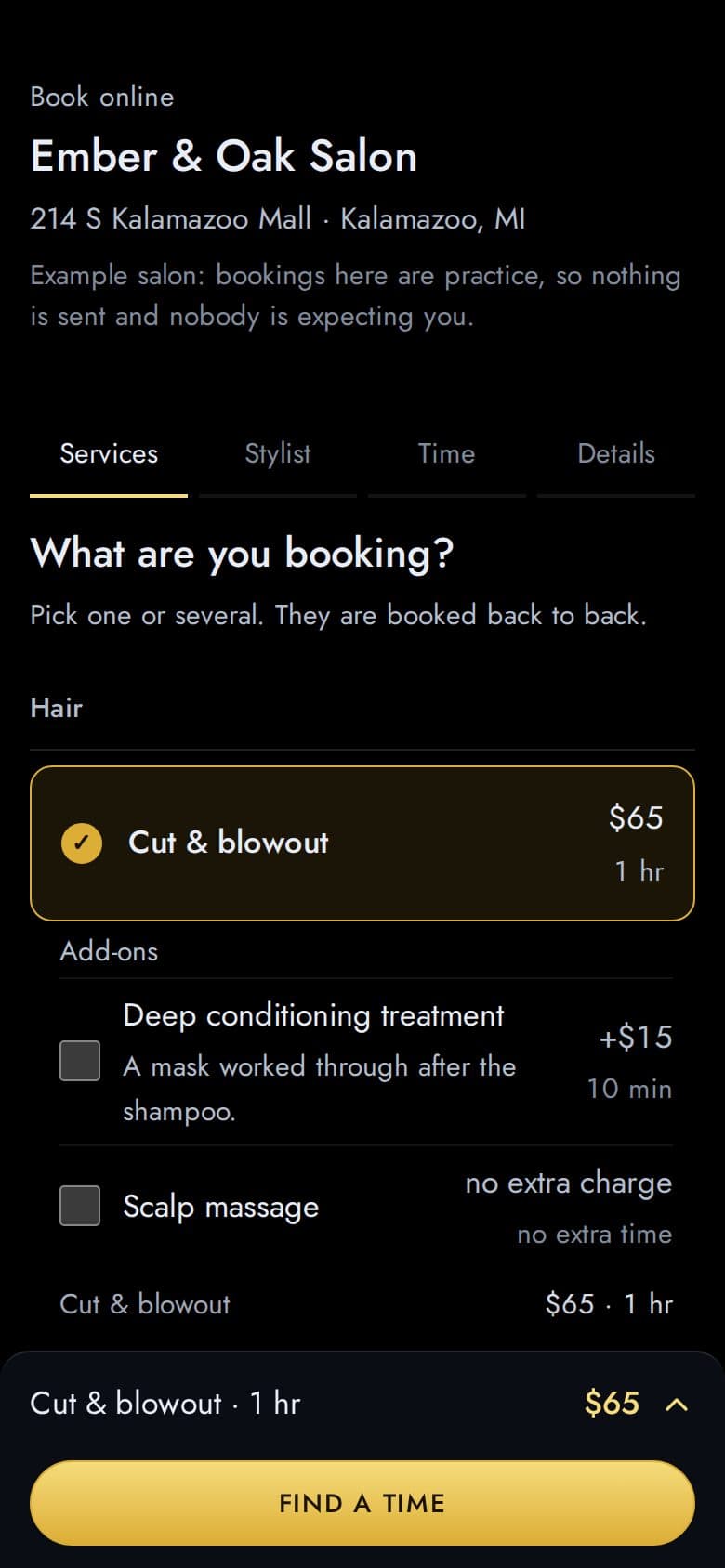
  2. 2. A service is picked.
    The same step with Cut & blowout ticked and its two add-ons shown under it; the sheet reads Cut & blowout, 1 hr, $65.
  3. 3. The stylist step: first available, or a named stylist.
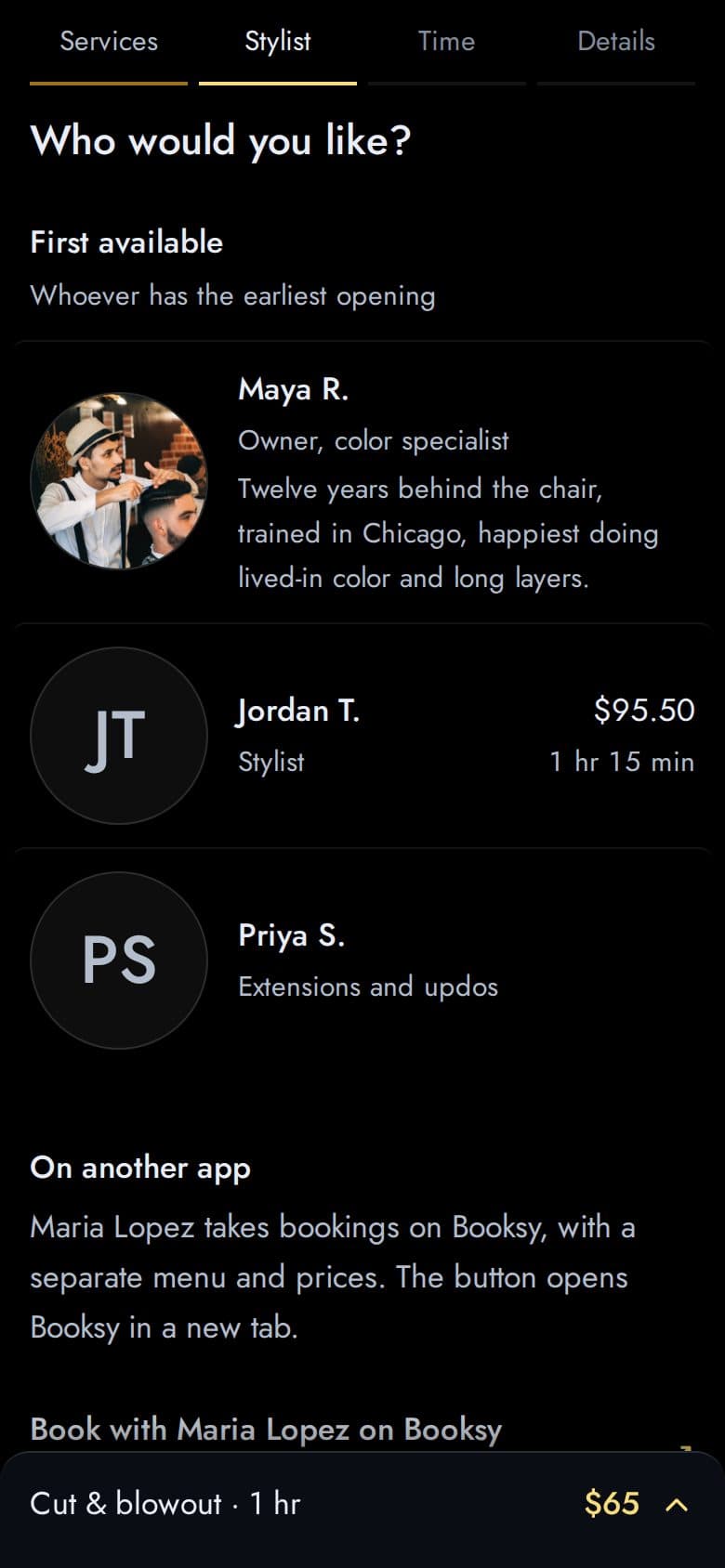
    The stylist step: Who would you like?, then First available and the salon’s stylists as rows with portraits.
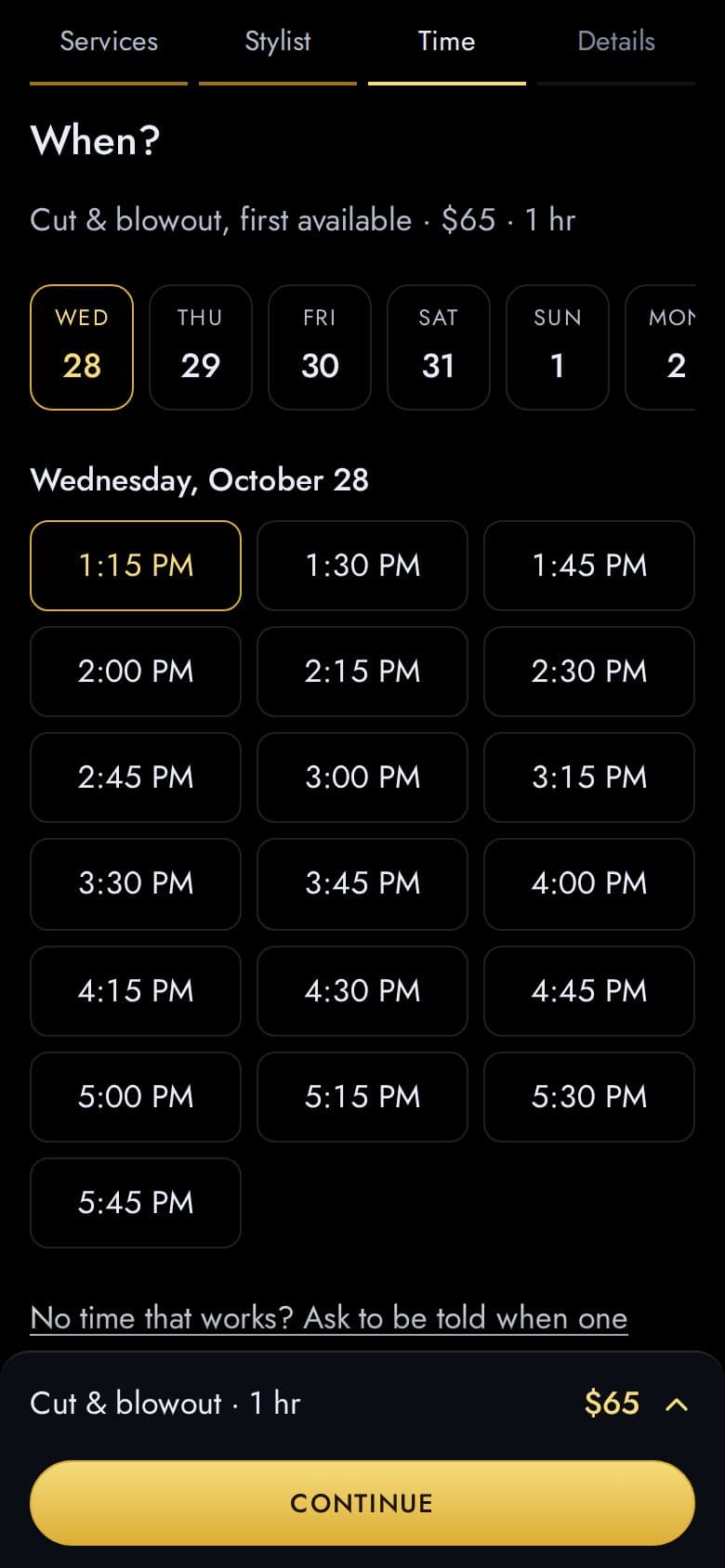
  4. 4. A day and a time are picked.
    The time step: When?, a strip of seven days with one chosen, the date, and the open times as a grid with 1:15 PM chosen; the sheet’s button reads Continue.
  5. 5. The details step on a phone. Under the Mobile number field sits the box, “Text me a confirmation and reminders for this appointment”, unticked when the step opens (picture 6) and ticked here by the client, and beneath it the consent line in full: what will be texted, how often, that message and data rates may apply, STOP and HELP, the links to the texting terms and the privacy policy, and that booking does not require it. Ticking the box and tapping Book it is the opt-in.
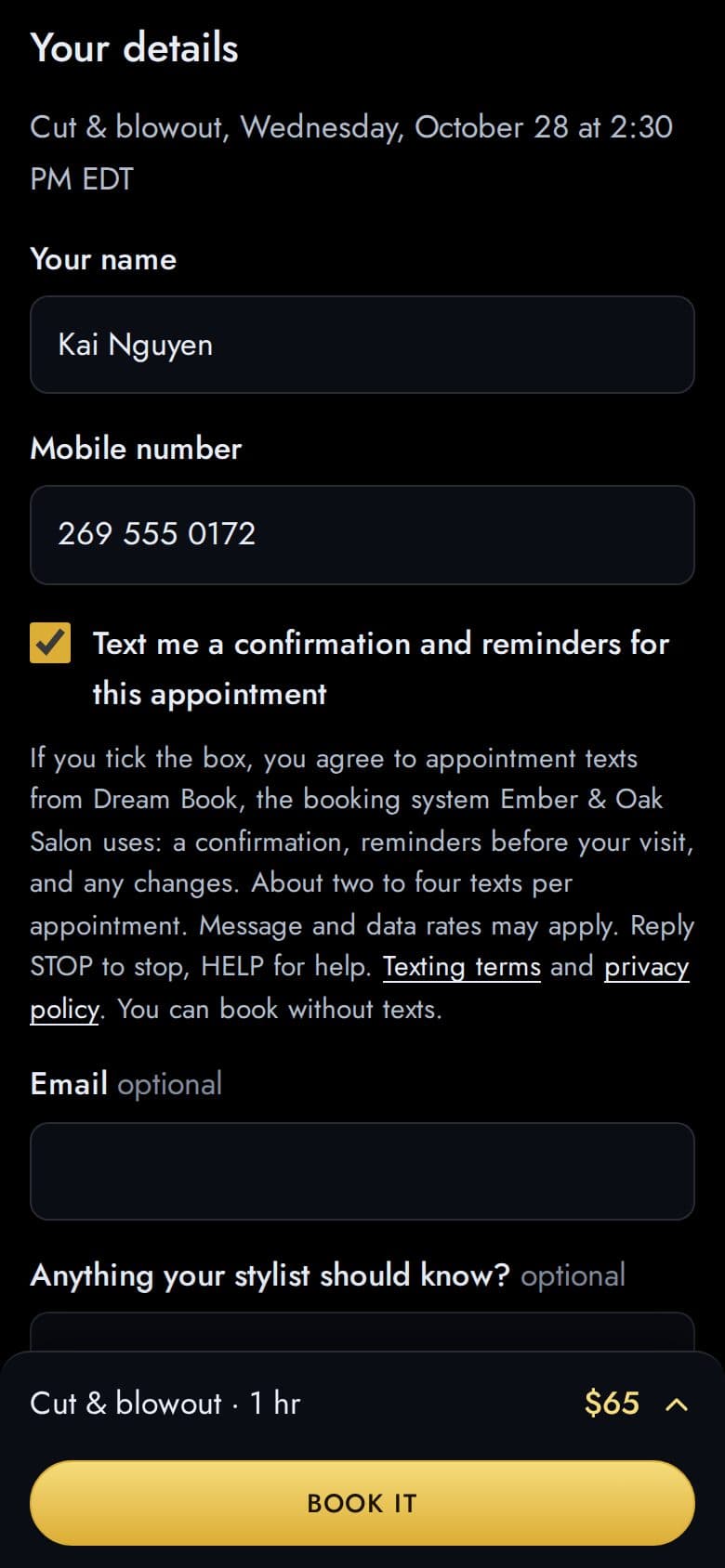
    The details step on a phone: the Your name field holding Kai Nguyen, the Mobile number field holding 269 555 0172, under it a ticked box labelled Text me a confirmation and reminders for this appointment, and beneath that the line: If you tick the box, you agree to appointment texts from Dream Book, the booking system Ember & Oak Salon uses: a confirmation, reminders before your visit, and any changes. About two to four texts per appointment. Message and data rates may apply. Reply STOP to stop, HELP for help. Texting terms and privacy policy. You can book without texts. Then the optional Email and note fields; the sheet’s button reads Book it.
  6. 6. The same step on a desktop as it opens, with the booking panel beside it: the box is unticked until the client ticks it.
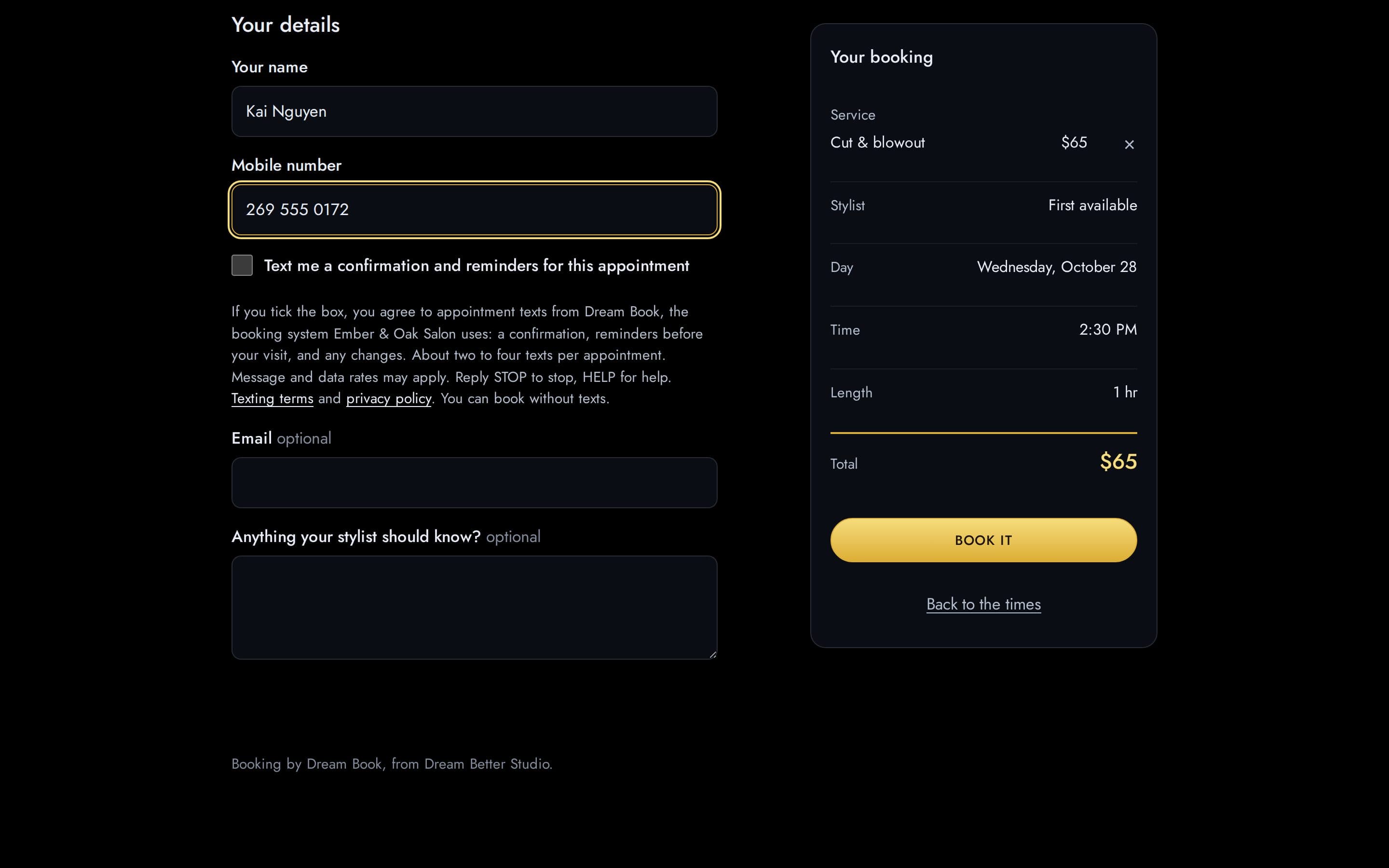
    The details step on a desktop: the name and mobile number fields, under the number an unticked box labelled Text me a confirmation and reminders for this appointment with the same consent line beneath it, then the optional email and note fields, and on the right the Your booking panel with the service, stylist, day, time, length, total and the Book it button.
  7. 7. The done screen. On a real salon the confirmation text is on the phone at this moment, with the link to the appointment; the example salon says that no text goes out.
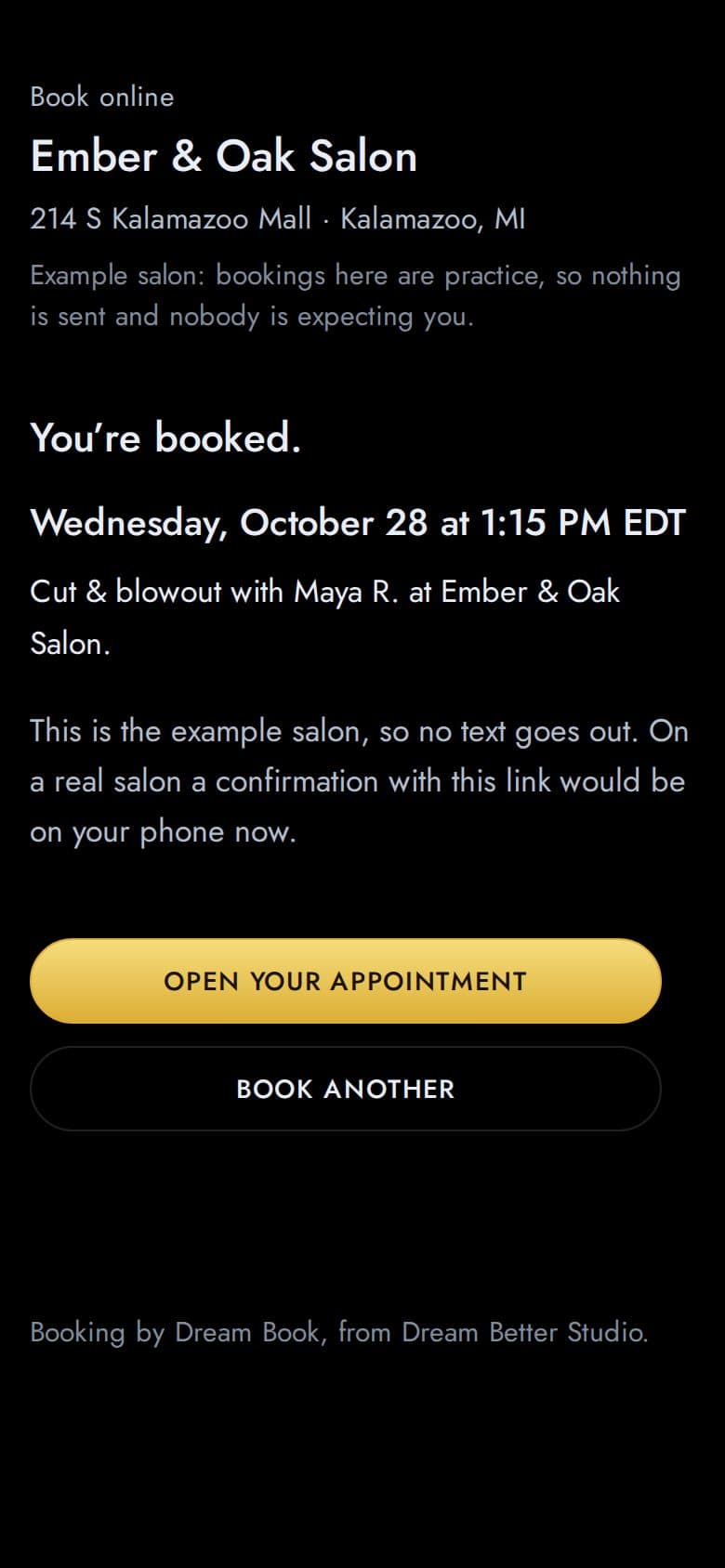
    The done screen: You’re booked, the day and time, the service and stylist, the sentence This is the example salon, so no text goes out, and the buttons Open your appointment and Book another.

A client who books by phone or at the front desk gives the salon their mobile number to be booked in, and the salon tells them Dream Book will text a confirmation and reminders. The salon’s record of that client keeps “Send appointment reminders by text”, and the first text confirms the opt-in with the STOP and HELP instructions, the same as online.

The two pages the consent line links to

  1. 8. The Terms & Conditions with their SMS Terms: what is sent, how often, “Message and data rates may apply”, STOP and HELP, and who is sending. Open the page.
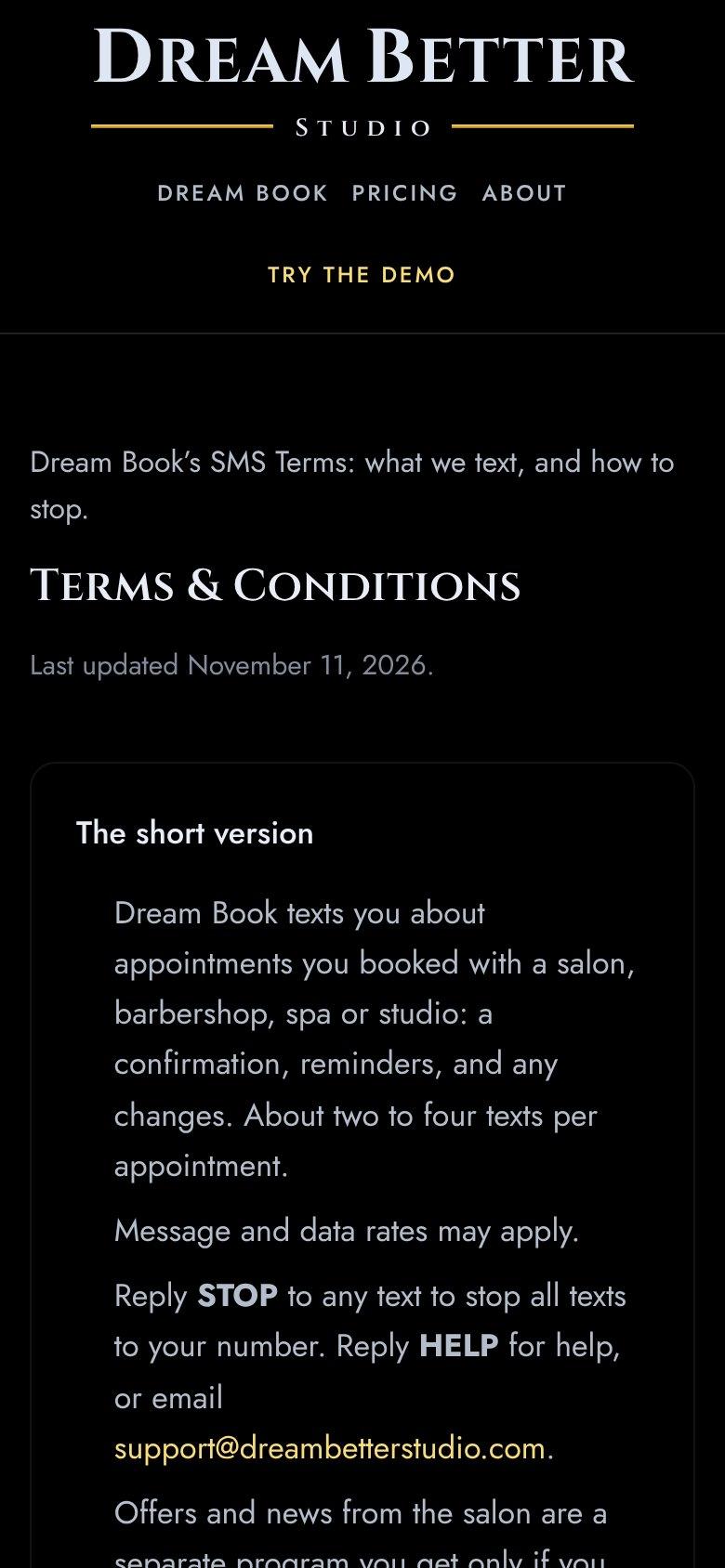
    The top of the Terms and Conditions page: Dream Book’s SMS Terms, what we text and how to stop, the title Terms and Conditions, and the short version: the appointment texts and their frequency, Message and data rates may apply, reply STOP to stop and HELP for help, and that offers are a separate program.
  2. 9. The Privacy Policy, which says: “We do not sell or share your SMS opt-in data or personal information with third parties for marketing purposes.” Open the page.
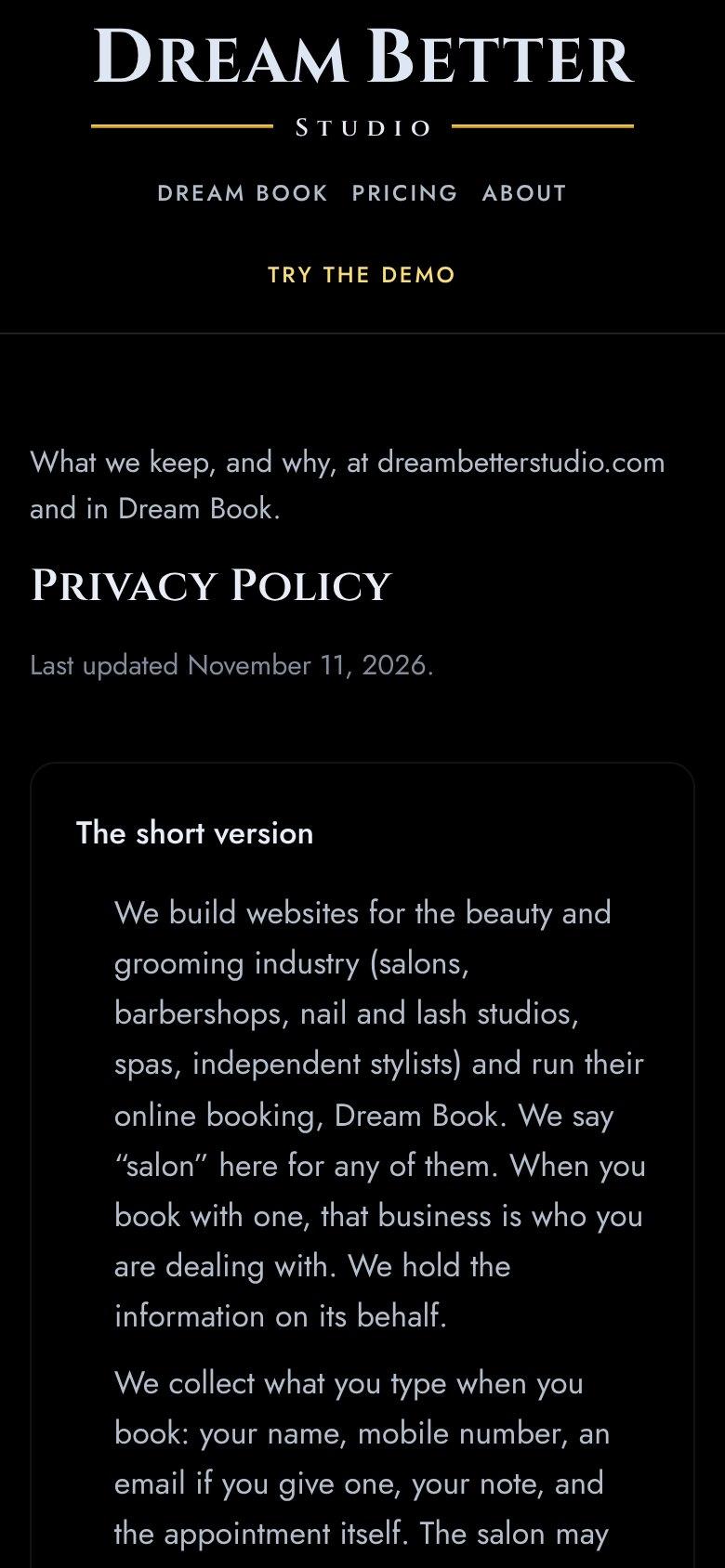
    The top of the Privacy Policy page: what we keep and why at dreambetterstudio.com and in Dream Book, the title Privacy Policy, and the short version of what is collected when a client books, that promotional texts need a separate yes, and how to stop texts or have a record removed.

Back to the Terms & Conditions