Dream Book, included with every site we make.
Booking and client records, built into your website.
Clients book from your site and your Google listing. Your team runs the day from a calendar that knows how a salon works. It’s one system, so a client is one record from the first booking to the last visit, and it’s included for your whole team at no extra charge.
This is the real booking page, on our example salon. Go ahead and book something: nothing is sent and nobody is expecting you.
Open it full screenWhat your clients get
Booking that takes a minute
Pick a service, a person or first available, a time, done. No account, no app to install. The confirmation comes by text.
“Add more to your appointment?”
A cut with Maya and an updo with Priya, booked together, lined up back to back with the times that actually work for both.
Their own appointment page
One secure link per booking: say you’re running late, change the time, cancel, add it to a calendar. The salon sees it the moment it happens.
Reminders that get answered
A text and an email the day before and the morning of, with one tap to confirm or move it.
Your people, your prices
Every stylist’s own services and prices. A senior colorist can charge more for the same service, and the booking page shows it plainly.
A review on Google, not in an app
After every visit, every client is asked for a Google review, where the next client is looking.
What your team gets
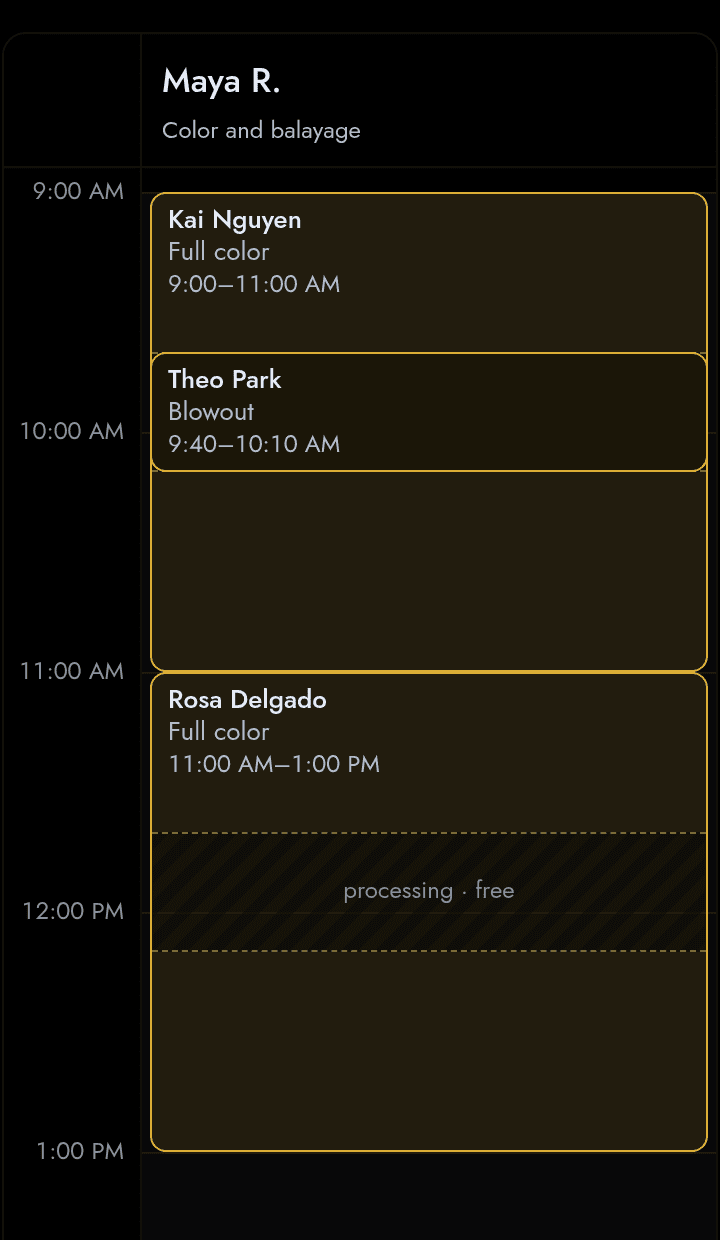
A day calendar with a column for each person, on a phone or a laptop, that understands processing time, late starts and the ten-minute squeeze every salon makes.
- Processing time is free time. While color develops or gel cures, another client can be booked into the window, online or at the desk. Each person can turn that off, for good or for one day.
- Book anyone in, fast. Tap an empty slot. Overlap the next appointment by a few minutes on purpose when that’s what you’d do anyway. Clients online can never double-book.
- Hours that change weekly. A late start today, a day off next Thursday, the salon closed for a holiday: one tap, and anything it collides with is listed before it saves.
- Move an appointment without retyping it. Open it and change the time, or drag it on a laptop. Price, notes and client come along.
- Renters welcome. A booth renter keeps a private client book, sets their own prices, and can be shown on your page with a “Book with Maria” button even if they stay on another app.
- Your words. Stylist, barber, technician, therapist, artist: pick the word your shop uses and every screen and text uses it.
One tap to a Google review
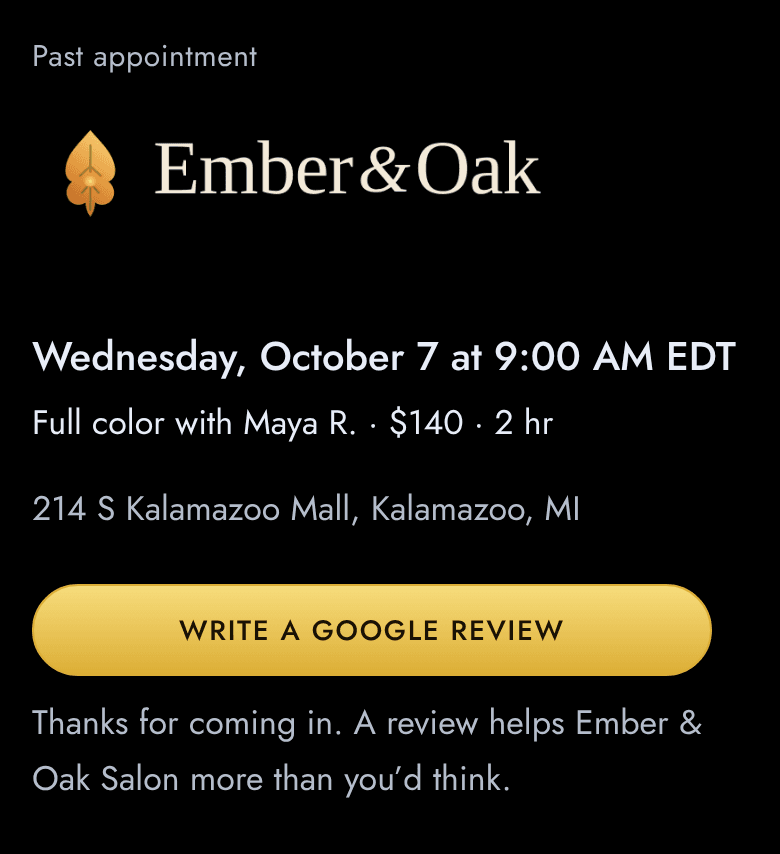
After the visit, a client’s own appointment page turns into one gold button. It opens your salon’s review box on Google, where the next client is looking, not a rating inside an app nobody reads.
- Paste your link once. Your Google review link goes into Settings, and every client’s page knows it from then on.
- Asked at the right moment. The after-visit text asks how it went and lands on this page, while the visit is still fresh.
- Reviews on your own listing. They land on your Google profile, not inside an app, so they are yours and they stay with you if you ever leave.
A client book that remembers
Every booking adds to the record. Visits, spend, how often they come, what you used last time. The book works for you between visits, with your clients’ permission.
The record
Phone, email, birthday, who they usually see. Notes the client never sees: formulas, photos, allergies, preferences.
Who’s due
New, regular, VIP, due for a visit, slipping away: labels worked out from their own rhythm, not a fixed number of weeks.
The nudge
When a client is due, a text with a link to their stylist’s openings. Nobody has to remember to send it.
Consent, respected
Appointment texts come with the booking. Promotional texts need the client’s own yes, and only the client can give it.
Whose clients they are
An employee’s clients are the salon’s. A renter’s are the renter’s, and nobody else sees that book.
Yours to take
Clients, appointments, reviews and history download any time. If you ever leave, you leave with everything.
Money, plainly
- Deposits and no-show fees on a saved card for new clients and long services. Late cancellations are your call.
- Checkout is the bill. Add or swap services, add products, apply a discount, take cash in two taps, split a payment, track tips separately.
- A cash register that opens with a float and closes with expected against counted.
- Gift cards by text or printed, with a code entered at booking. They never expire.
- Card processing at Stripe’s standard fees, passed through exactly as Stripe charges them. We add nothing and take no share of any booking.
- Payroll-ready reports. Commission and tips per stylist for each pay period, exported to the payroll service you already use.
Help that knows your salon
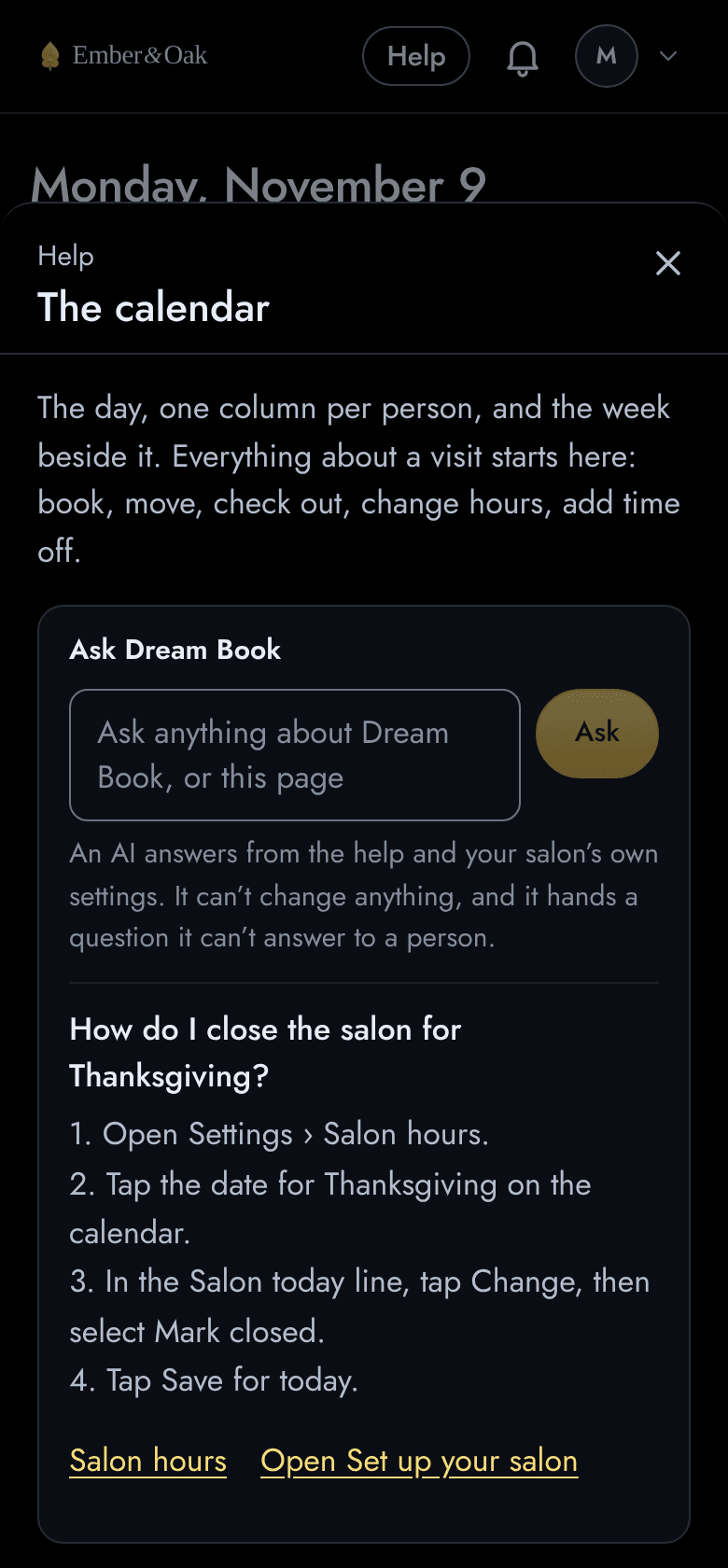
Every page in Dream Book has a Help button, and at the top of it is Ask. Type a question the way you’d say it, and an AI answers in a few seconds from the help pages and your salon’s own settings: how to close for Thanksgiving, or why clients can’t book Jordan online yet.
- It reads, it never touches. Ask can’t change a setting or a booking, and it never sees your client book or your money.
- A person is one tap away. When the help doesn’t cover something, Ask says so. Send this to us puts your question in front of us, and we reply by email.
- On every page, and in the app. Under the box is that page’s own guide, step by step. The same Help button is in the Dream Book app.
See it running on your salon.
A salon that runs on Dream Book, yours for a day. Book a client, run the day, check someone out, read the week’s numbers. Then talk to us.